
Send email from a contact
Connect your own mailbox, write to a contact from their page, reuse templates and keep a do-not-email list.
- Who can do it
- Everyone connects their own mailbox; Admins manage templates and the excluded list
- Plan
- The number of mailboxes depends on your plan
- Time
- 10 minutes
You can write to a contact without leaving their page. The email goes out from your own address, so replies reach your usual inbox, and a copy is kept on the contact.
Connect your mailbox
Each person connects their own mailbox. It is personal, not shared, and you have one.
- Open Settings → Email → Email Connect.
- Choose the Other email card ("Zoho, Hostinger, GoDaddy, cPanel and others") and choose Connect.
- Pick your provider from Your email provider to fill in the server, or choose Other or cPanel and enter it yourself. Then fill in: - Outgoing mail server and Port (usually 587, or 465 for SSL). - Secure from the start (SSL, port 465): tick it for port 465, leave it off for 587. - Your email address: the address people see mail from. - Login name, if it is not the address above: leave empty to use the address. - Password: use an app password where your provider offers one. It is stored encrypted and only used to send your emails.
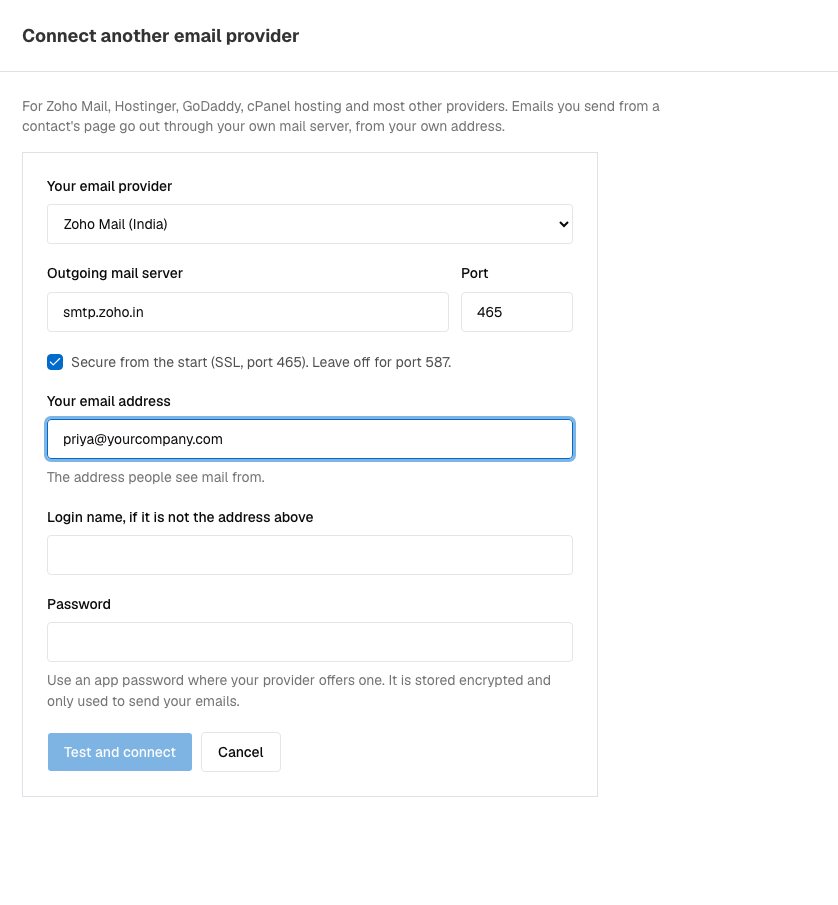
Connecting another email provider. - Choose Test and connect. We try a real login first. On success you see "Connected. Emails to contacts now send from your own mailbox."
Write to a contact
- Open the contact and choose the Emails tab, then Create Email.
- If you have templates, Start from a template (optional) fills in the subject and message. You can edit both before sending.
- Write the Subject and Message, then choose Send.
The email goes to the contact's first email address and is saved on their page. To keep an email you wrote as a template, choose Save as template.
Templates
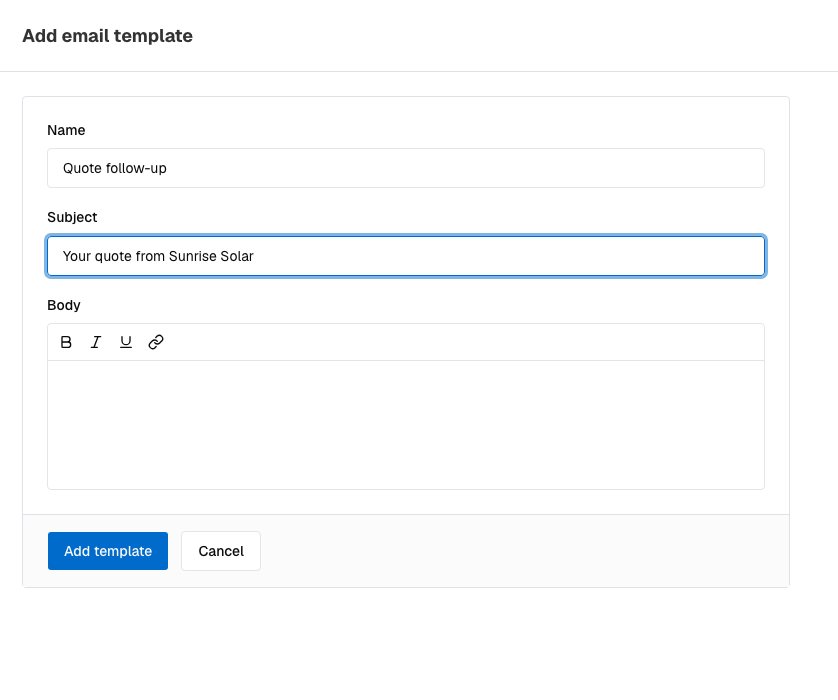
Admins keep templates under Settings → Email → Email Templates. Choose Add template and fill in a Name, a Subject and the Body. Use Clone to start from an existing one. A template is copied as written: it does not fill in names for you, so write "Hello" and add the name yourself.
People you must not email
Under Settings → Email → Excluded Emails, type an address and choose +. Sending to a contact whose first email is on the list is refused with "This address is on the excluded emails list". You can add full addresses only, not whole domains. Remove an address with the bin icon.
Disconnect or fix a mailbox
On Email Connect, a connected mailbox shows Connected, or a red Needs reconnect. To reconnect, choose Disconnect and connect again. Disconnecting means you cannot send email from a contact until you connect again.
If it does not work
- Create Email is greyed out. No mailbox is connected. Connect one above.
- "This contact has no email address on file." Add an email to the contact.
- "The mail server refused the login." Check the address and password. Many providers need an app password.
- "That mail server could not be found" or "Could not reach the mail server on that port." Check the server name and port.
- "Your plan allows N mailboxes." Your plan limits how many mailboxes can be connected. Write to us to raise it.
What to do next
Was this helpful?
Still stuck?
Ask us and tell us what you were trying to do. We will see the page you came from.
Ask us in EnableLeadsLast updated 2 November 2026