
Contact support
Ask for help inside EnableLeads, follow the answer, and find the right category so we reach you faster.
- Who can do it
- Everyone who can sign in
- Plan
- All plans
- Time
- 2 minutes
The fastest way to reach us is a request from inside EnableLeads. It tells us who you are, which business you are in, and where you were, so we do not have to ask.
Send a request
- Choose your name (top right), then Help & support, then New request.
- Choose What is it about?: a question, something isn't working, billing or my plan, my data or privacy, or an idea or request.
- Choose How much is it affecting you?: - Not urgent: a question, or something that can wait. - It's getting in the way: you can carry on, but it is a problem. - I can't work: your team is blocked.
- Give it a short Title, then describe what happened under Tell us what happened: what you were trying to do, what you saw instead, and the names of any contacts or pages involved.
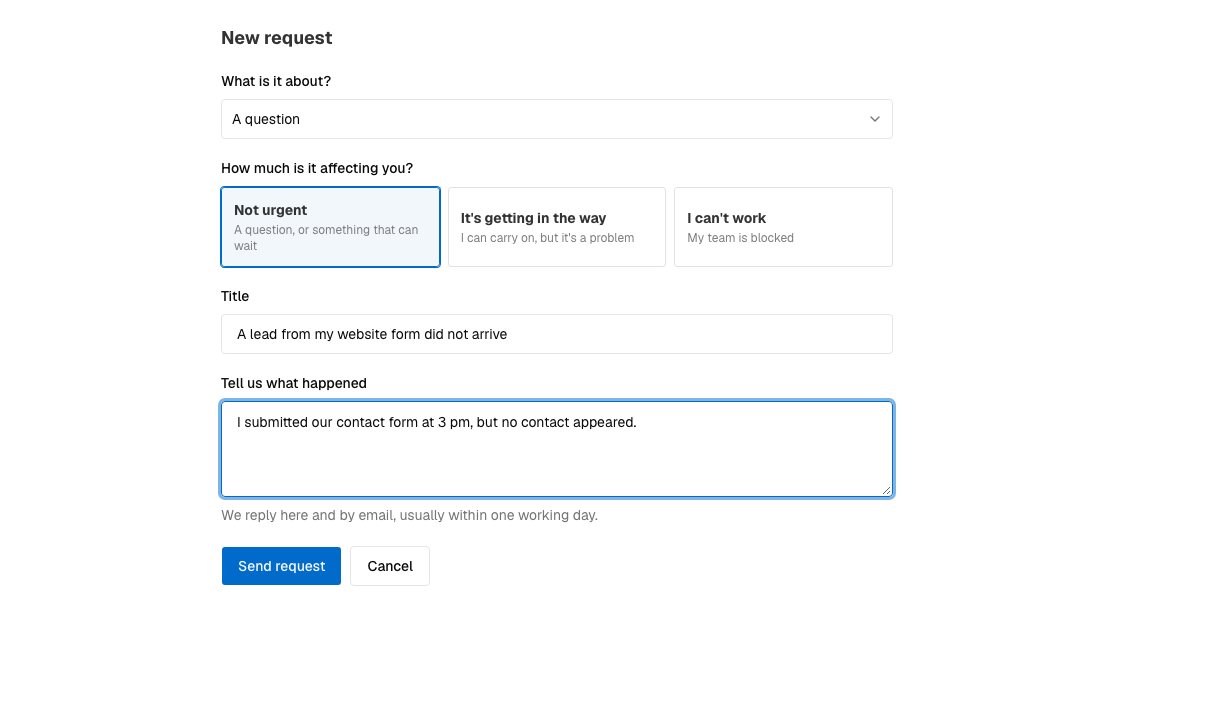
A new request. - Choose Send request.
You are emailed to confirm we have it, and we usually reply within one working day. Requests that block your team are looked at first. The Ask us button at the bottom of every help article starts a request with the article's title already in the Title.
Follow it and reply
The Help & support page lists your requests and their status:
- Open: we have it.
- Waiting on you: we need something from you. The clock stops while we wait.
- Resolved: we think it is fixed. If it is, choose This is solved and tell us whether it helped. If not, reply, and it opens again.
- Closed: resolved for a week with no reply.
Our replies come to your email and appear on the request. Reply from either place. Owners and admins also see the requests of their team.
Other ways to reach us
You can write to care@enableleads.com. Anyone who can sign in can raise a request, even when a plan has ended.
If it does not work
- "You have raised a lot of tickets today." There is a daily limit on new requests. Reply on one you already have, or email us.
- I cannot sign in at all. Use Forgot password? on the sign-in page first. If that does not help, write to care@enableleads.com.
What to do next
Was this helpful?
Still stuck?
Ask us and tell us what you were trying to do. We will see the page you came from.
Ask us in EnableLeadsLast updated 2 November 2026